

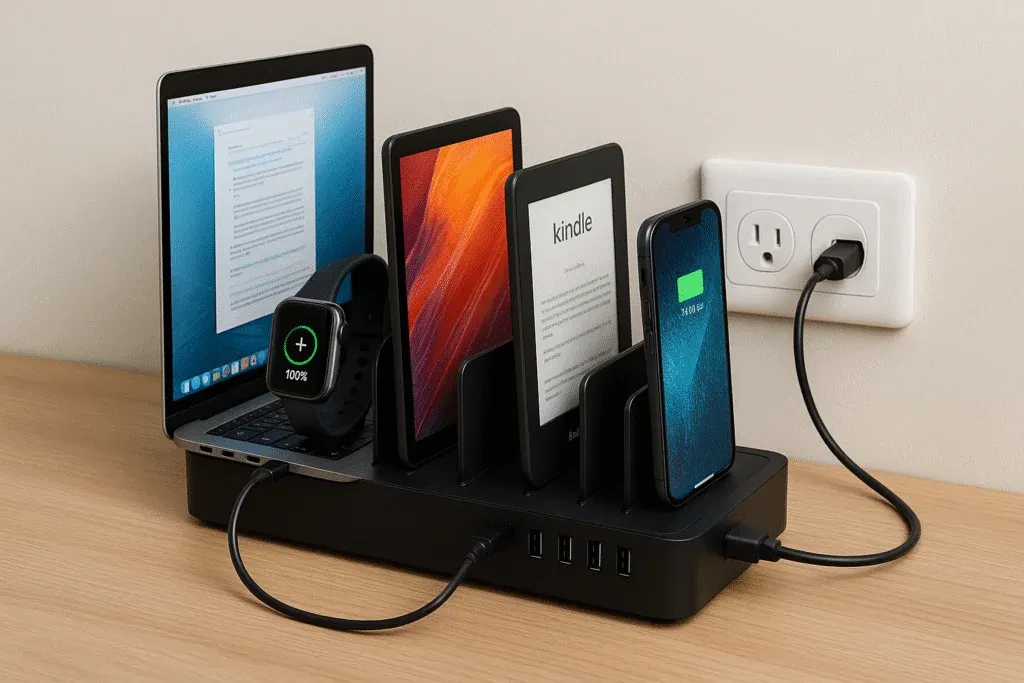
Phones, tablets, watches, headphones, laptops, and school devices can turn one outlet into a daily argument. Family charging station ideas work best when they give every device a predictable place, reduce loose cables, and keep frequently needed technology easy to grab. The goal isn’t to hide electronics completely. It’s to create one dependable routine around them.
Choose the Charging Location Around Habits
Watch where devices naturally collect before deciding where to build the station. A kitchen counter may look convenient, but it can become frustrating if charging cables interfere with food preparation.
Entry consoles, home offices, mudrooms, and hallway cabinets often work better. The ideal location should be accessible to the whole family without sitting directly in a busy walkway.
Think about overnight use
If the household wants phones kept outside bedrooms at night, the charging station should be somewhere adults can still hear important calls while discouraging late-night scrolling.
Give Every Device a Defined Parking Space
A tangled pile usually develops because the station has charging capacity but no physical organization. Use divided trays, vertical slots, labeled shelves, or shallow drawers to separate devices.
People looking at home layout directories may notice how strongly successful rooms depend on assigning clear functions to small zones. A charging station follows the same principle: every device needs a repeatable landing spot.
Color-coded cable tags can help when several family members use similar chargers.
Plan for School Technology Separately
School laptops and tablets need more space than phones. They may also need to remain inside protective cases while charging, so narrow phone organizers aren’t always suitable.
Consider a vertical file sorter with enough width for devices and airflow. Families evaluating broader property organization concepts can apply the same planning idea indoors by leaving room for future needs instead of filling every inch immediately.
| Device Type | Useful Storage | Main Concern |
|---|---|---|
| Phones | Divided tray | Cable clutter |
| Tablets | Vertical slots | Space between devices |
| Laptops | Wide file rack | Ventilation |
| Earbuds/watches | Small compartment | Easy misplacement |
Control the Cables Before They Control the Station
Shorter cables often work better than standard long cords in a fixed charging area. Route them through clips or cable openings so the connector remains accessible without falling behind furniture.
A powered USB charging hub can reduce the number of adapters occupying outlets, but choose equipment that properly matches the devices being charged. Avoid stuffing adapters, extension cords, and coiled cables into tightly enclosed boxes where heat can build up.
Where Charging Stations Commonly Fail
One mistake is building a station so hidden that nobody uses it. A perfect drawer system doesn’t help when children drop tablets on the nearest countertop because opening the drawer and routing the cable takes too much effort.
Another mistake is treating visual neatness as the only goal. Ideas from space and landscape planning often emphasize movement and practical use, and the same lesson applies indoors. The station should make the correct habit easier than the messy one.
Frequently Asked Questions
How many charging ports should a family station have?
Count the devices that regularly charge at the same time, then allow one or two additional ports if practical. Families often add devices faster than expected.
Should laptops be charged in the same station as phones?
They can be, provided there is enough physical space, suitable power delivery, and ventilation. Larger school devices usually benefit from their own shelf or vertical slot.
Is it useful to label charging cables?
Yes, especially when the household has different connector types or similar-looking chargers. Small labels can prevent people from unplugging the wrong device during busy mornings.
Make Charging Part of the Household Routine
The best charging station removes decisions. Devices return to one place, cables stay ready, and family members know where school technology will be in the morning. Start with the actual number and size of devices rather than buying an organizer first. A simple station designed around existing habits will usually stay orderly longer than an elaborate setup that demands extra effort every day.
